
Risograph printing is a unique printing process that combines the elements of screenprinting with the speed of a photocopier. Like screenprinting, each color is printed one at a time and layered to simulate other colors. This type of printing is great for zines, posters, flyers, and art prints.

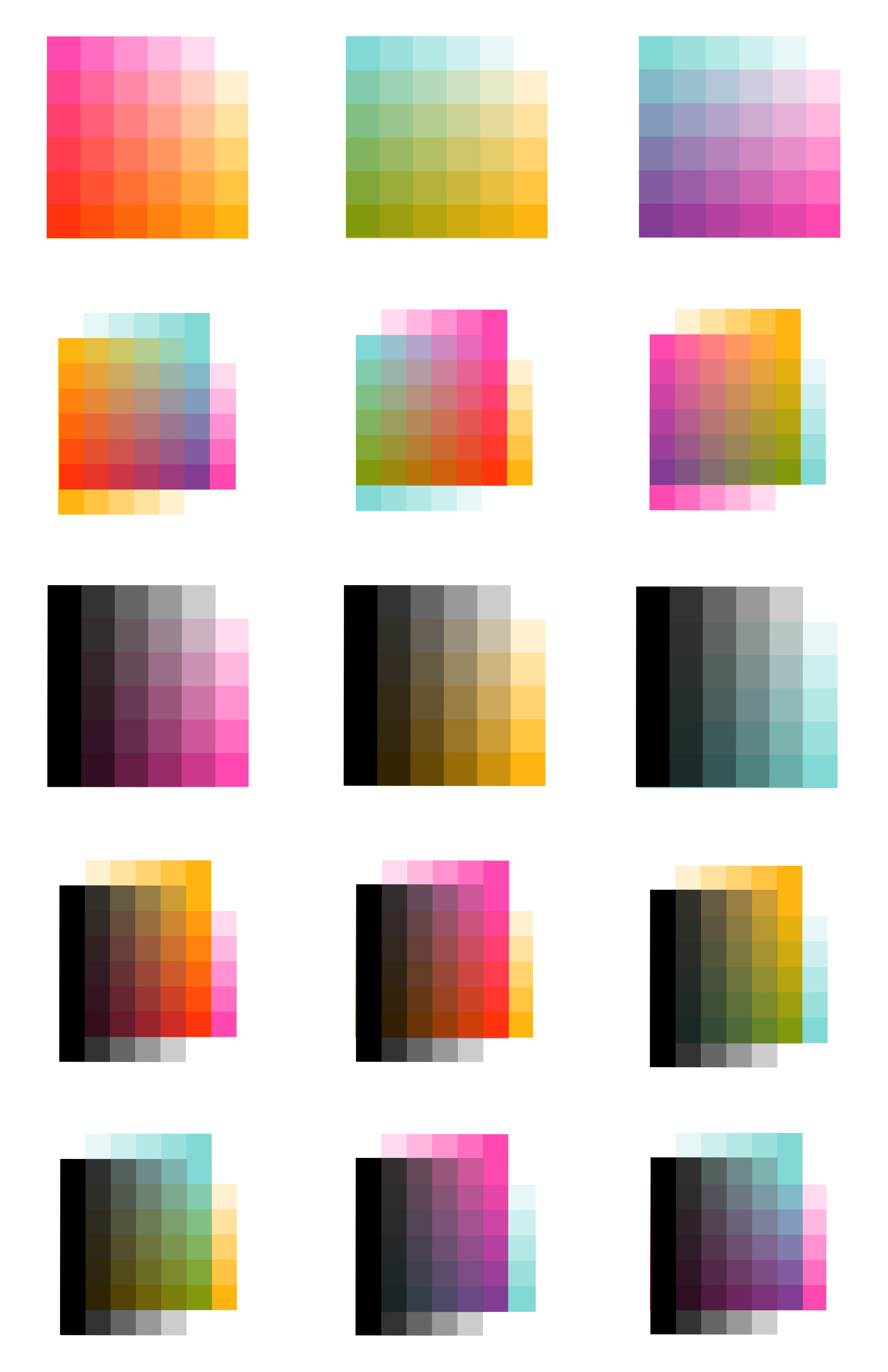
The colors we are currently using are mint, fluorescent pink, sunflower, and black. These colors can be printed on their own or layered to simulate a wide range of colors, seen below. Risograph inks are made with either rice bran oil or soy oil, pigment, and water. This, combined with uncoated paper and the high-efficiency Riso machine, make this process extremely eco-friendly.
File Setup
The easiest way to set up a file for riso is to create it with riso printing in mind. You can copy the color overlays chart above into your art-making program and use those swatches to create your artwork. From there, we can more easily separate the layers to print and we will more closely match your original work.
If you'd like to set up the files yourself, each color will need to be separated into a different pdf file and in grayscale. In the chart above, each color is shown from 0% to 100% opacity in 20% increments and how they overlap with others. This means that if you want something to be 100% sunflower, for example, in your separated grayscale file, that should be completely black. If you want it to be a lighter, 40% sunflower color, it should be 40% gray or black with a 40% opacity. If using a simulated color (not one of the 4 main ink colors), like purple, for example, that area of your image would need to be separated into both mint and fluorescent pink (and maybe some black) at different opacities.
If you are unsure of how to setup your file to print, we can do that for an additional fee.
Get a Quote!